Node reference
All 169 node types: inputs, knobs, defaults, .nk classes.
Every node in Oink, grouped like the node menu (Tab or the left toolbar). Each page lists the node's inputs, every knob with its default and range, and the class it reads and writes in .nk files.
169 node types. Nodes from installed OFX plugins are not listed here, see OFX plugins.
Input/Output
| Node | .nk class | Summary | |
|---|---|---|---|
 | Read | Read | Reads images from disk. |
 | Write | Write | Renders its input to files on disk (Render > Render All, F5). |
 | Viewer | Viewer | Shows its input in the Viewer. |
Color
| Node | .nk class | Summary | |
|---|---|---|---|
 | Grade | Grade | Adjusts the colour range: blackpoint/whitepoint set the input range, lift/gain the output range, then multiply, offset and gamma. |
 | CDL | OCIOCDLTransform | ASC CDL (OCIOCDLTransform): slope, offset, power, saturation, direction. |
 | Constant | Constant | Generate a solid colour image. |
 | ColorCorrect | ColorCorrect | Saturation, contrast, gamma, gain and offset, separately for shadows, midtones and highlights. |
 | Saturation | Saturation | Scale colour away from / towards its luminance. |
 | Clamp | Clamp | Clamp channel values to a range. |
 | Invert | Invert | 1 - value on the selected channels. |
 | Expression | Expression | Per-channel pixel expressions. |
 | OCIOColorSpace | OCIOColorSpace | Convert between two OCIO colour spaces. |
 | Colorspace | Colorspace | Classic transfer-curve / HSV / YCbCr conversion. |
 | Multiply | Multiply | In * value. |
 | Add | Add | In + value. |
 | Gamma | Gamma | In ^ (1 / value). |
 | ClipTest | ClipTest | Zebra stripes where values leave lower..upper. |
 | ColorLookup | ColorLookup | Per-channel colour curves. |
 | OCIODisplay | OCIODisplay | Apply an OCIO display / view transform. |
 | OCIOFileTransform | OCIOFileTransform | Apply a LUT / colour transform file (.cube, .3dl, .spi1d, ...). |
 | Sampler | Sampler | One scanline of the input as lookup curves (image passes through). |
 | HueCorrect | HueCorrect | Curves over hue (red, yellow, green, cyan, blue, magenta) that change saturation, luminance and red / green / blue gain, and suppress a channel (r_sup / g_sup / b_sup) for the hues you choose, e.g. |
Keyer
| Node | .nk class | Summary | |
|---|---|---|---|
 | Keyer | Keyer | A basic keyer. |
 | IBKColour | IBKColourV3 | Makes a clean plate for IBKGizmo. |
 | IBKGizmo | IBKGizmoV3 | Image based keyer. |
 | ScreenKey | ScreenKey | Green / blue screen keyer with the controls of a Keylight-style keyer: screen colour, gain and balance, clip black / white, shrink / grow, softness, despill with bias, and inside / outside masks. |
 | Despill | Despill | Removes green or blue spill by limiting the screen channel to what the other two allow: their average (balance) or their maximum (limit). |
 | Cryptomatte | Cryptomatte | Mattes from Cryptomatte ID layers. |
Filter
| Node | .nk class | Summary | |
|---|---|---|---|
 | Blur | Blur | Blurs the image with a box, triangle, quadratic or gaussian filter; size is the filter's width in pixels (gaussian: its width at half height), separately for width and height. |
 | Sharpen | Sharpen | Unsharp mask — the image plus amount times its difference from a blur of it (size, filter, quality as Blur). |
 | DegrainSimple | DegrainSimple | Per-channel blur against grain. |
 | DegrainBlue | DegrainBlue | Blur only the blue channel (where most grain is). |
 | EdgeBlur | EdgeBlur | Blurs the image only along the edges of a matte (control channel, alpha by default); size, filter, quality and crop set the blur as in Blur, edge mult (2 by default) sets how wide and strong the blurred edge is, tint / brightness colour the blur, output writes the amount to a channel. |
 | Erode | Erode | Erode (blur): moves the edges of a black and white matte by size pixels (positive shrinks it; the default is -1, which grows it) through a blur, with a soft one-pixel edge; blur softens the result and quality sets the blur quality. |
 | Dilate | Dilate | Erode (fast): grows light areas (size > 0) or dark areas (size < 0) by that many pixels with a box minimum / maximum. |
 | FilterErode | FilterErode | Erode (filter): grows dark areas (size > 0) or light areas (size < 0) by a filter-weighted maximum; box is the fastest, gaussian the softest. |
 | Glow2 | Glow2 | Makes bright areas glow — the parts above tolerance are blurred (size, filter, quality as Blur), tinted, saturated, scaled by brightness and added to the image. |
 | Defocus | Defocus | Blurs the image with a lens disc (bokeh): defocus is the disc's radius in pixels, aspect ratio squeezes it. |
 | VectorBlur2 | VectorBlur2 | VectorBlur: motion blur along motion vectors — every pixel is smeared along its u / v vector (uv channels) times motion amount (0.5), over the shutter set by motion offset (-0.5 centres it). |
 | ZDefocus | ZDefocus2 | Depth of field from a depth channel — the image is cut into depth layers, each blurred by its distance from the focus plane and laid back over the others from the back to the front. |
 | MotionBlur | MotionBlur | Realistic motion blur worked out from the motion in the clip itself (Kronos' motion estimation): Shutter Samples in-between images over Shutter Time frames, averaged. |
 | MotionBlur2D | MotionBlur2D | Motion vectors from a 2D transform. |
 | MotionBlur3D | MotionBlur3D | Blur from camera motion and depth. |
 | VectorBlur | Motion blur along a vector layer (motion from AIVectorGenerator, ScanlineRender, Cycles or EEVEE). |
Time
| Node | .nk class | Summary | |
|---|---|---|---|
 | FrameBlend | FrameBlend | Average several frames. |
 | FrameHold | FrameHold | Shows one frame of the input at every frame (increment 0), or every Nth frame from the first frame. |
 | FrameRange | FrameRange | Sets the clip's frame range with first_frame and last_frame (what the timeline shows with the range source on Input, and what Retime / Kronos take as their input range). |
 | Kronos | Kronos | Retimes a clip with motion vectors. |
 | NoTimeBlur | NoTimeBlur | Passthrough: Oink evaluates whole frames only, so upstream never sees a fractional time to round (the rounding knob is kept for .nk). |
 | Retime | Retime | Maps the input range onto an output range at a speed (both output ends locked: the speed that fits), with reverse, before / after (continue, loop, bounce, hold, black), a box filter whose width is speed x shutter, and a warp curve on the TimeWarp tab. |
 | TimeBlur | TimeBlur | Average the input over the shutter. |
 | TimeOffset | TimeOffset | Moves a clip in time by time offset frames (positive = later; Mode sets whole or fractional frames); reverse input plays the input's frame range backwards. |
 | TimeWarp | TimeWarp | Shows input frame input frame (usually an animated curve) at the current frame. |
Deep
| Node | .nk class | Summary | |
|---|---|---|---|
 | DeepRead | DeepRead | Reads a deep EXR (per-pixel sample lists); a flat file is read as one sample per pixel. |
 | DeepToImage | DeepToImage2 | Flatten deep samples into a 2D image. |
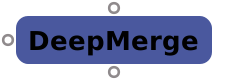 | DeepMerge | DeepMerge2 | Combine two deep streams (or hold one out by the other). |
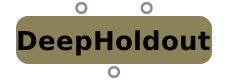 | DeepHoldout | DeepHoldout2 | Main held out by the holdout's deep samples, flattened. |
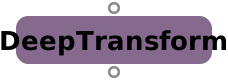 | DeepTransform | DeepTransform | Move deep samples in x / y (whole pixels) and z (offset, scale). |
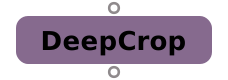 | DeepCrop | DeepCrop | Keep samples inside a bbox and a depth range. |
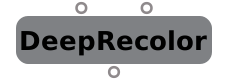 | DeepRecolor | DeepRecolor | Give deep samples the colour of a flat image: each sample's rgb = colour.rgb * sample alpha / the deep image's flattened alpha, so the recoloured deep flattens back to the colour image (times the deep coverage). |
 | DeepFromImage | DeepFromImage | A flat image as one deep sample per pixel (OIIO deepen). |
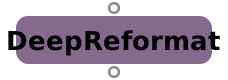 | DeepReformat | DeepReformat | DeepReformat (first cut) — change the format by cropping / padding, no resampling. |
Merge
| Node | .nk class | Summary | |
|---|---|---|---|
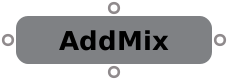 | AddMix | AddMix | A * lutA(a) + B * lutB(a). |
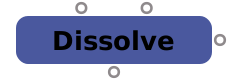 | Dissolve | Dissolve | Mix between inputs by which. |
 | KeyMix | KeyMix | Copy A onto B through a mask. |
 | Merge | Merge2 | Layers the A input with the B input using the chosen operation (30 operations, over by default). |
 | MergeExpression | MergeExpression | Per-channel expressions of A and B. |
 | Premult | Premult | Multiply colour by alpha. |
 | Switch | Switch | Pass one of its inputs through (which). |
 | Unpremult | Unpremult | Divide colour by alpha. |
 | Difference | Difference | Matte of where A and B differ. |
Channel
| Node | .nk class | Summary | |
|---|---|---|---|
 | Shuffle | Shuffle2 | Rearranges channels: drag wires from the input layers (in1 / in2, each read from the B or the A input) to the output layers (out1 / out2). |
 | Copy | Copy | Copy channels from A into the B stream. |
 | ChannelMerge | ChannelMerge | Combine one channel of A and B. |
 | Remove | Remove | Remove or keep channels / layers. |
Transform
| Node | .nk class | Summary | |
|---|---|---|---|
 | Transform | Transform | Translates, rotates, scales and skews the image around the center point. |
 | Crop | Crop | Cuts the image to a box; outside is black, or the format is reset to the box. |
 | Reformat | Reformat | Resizes the image to another format, box or scale, with a choice of filter. |
 | Position | Position | Whole-pixel move of the bbox, no filtering. |
 | Tracker | Tracker4 | Ctrl+Alt+click in the Viewer adds a track; drag its box to place it (sets a keyframe). |
 | CornerPin2D | CornerPin2D | Warps the image so the from1-4 corners land on to1-4. |
 | CameraTracker | CameraTracker | Track Features, then Solve Camera. |
 | PlanarTracker | Set corner1-4 around a flat surface at the reference frame, Track, then Export a CornerPin2D (relative = from the reference frame, absolute = from the full format). | |
 | CameraMatch | CameraMatch (fSpy-style): drag two lines per vanishing point over edges that are parallel in the scene (red X, green Y, blue Z), put the origin on the ground, optionally a reference distance. | |
 | LensDistortion | LensDistortion2 | Undistort / redistort with radial k1, k2 (same model as the CameraTracker solve). |
 | STMap | STMap | Each pixel reads src at (red, green) x the src format. |
 | IDistort | IDistort | Displace pixels by a UV layer. |
 | Card3D | Card3D | Image on a 3D card through a camera. |
 | Upscale | Upscale | 2x (Lanczos; ML when ml is on). |
 | LD_3DE_Classic_LD_Model | LD_3DE_Classic_LD_Model | 3DEqualizer lens distortion (classic). |
 | LD_3DE4_Radial_Standard_Degree_4 | LD_3DE4_Radial_Standard_Degree_4 | 3DEqualizer lens distortion (radial4). |
 | LD_3DE4_Anamorphic_Standard_Degree_4 | LD_3DE4_Anamorphic_Standard_Degree_4 | 3DEqualizer lens distortion (anamorphic4). |
 | LD_3DE4_Anamorphic_Degree_6 | LD_3DE4_Anamorphic_Degree_6 | 3DEqualizer lens distortion (anamorphic6). |
 | LD_3DE4_Radial_Fisheye_Degree_8 | LD_3DE4_Radial_Fisheye_Degree_8 | 3DEqualizer lens distortion (fisheye8). |
 | VectorDistort | Paint or patch the reference frame (Source), connect AIVectorGenerator to SmartVector, and the paint follows the motion through the shot. |
Draw
| Node | .nk class | Summary | |
|---|---|---|---|
 | Roto | Roto | In the Viewer pick Bezier or B-spline (V), click points (drag = smooth tangent), click the first point or Enter to close. |
 | RotoPaint | RotoPaint | Nuke RotoPaint (P): the Roto shapes, output rgba by default. |
 | Text2 | Text2 | Draw text over the input. |
 | Slate | A VFX review slate on the slate frame, burn-ins on the other frames. | |
 | ColorBars | ColorBars | Colour test bars. |
 | CheckerBoard2 | CheckerBoard2 | Checker test pattern. |
 | Noise | Noise | Fractal Perlin noise. |
 | Grain | Grain2 | Synthetic film grain. |
AI
| Node | .nk class | Summary | |
|---|---|---|---|
 | AIRoto | Click on the plate in the Viewer to add an object (Shift/Alt+click removes, drag draws a box); the mask shows at once. | |
 | AIDepth | Analyze runs Video Depth Anything Small (Apache-2.0, temporally stable) over the frames and aligns it to MoGe-2 (MIT) metric depth on a few keyframes. | |
 | AINormals | Analyze runs MoGe-2 (MIT) per frame: N layer = normals in camera space (X right, Y up, +Z to camera), or world space when a camera is connected to cam. | |
 | AIMaterials | Analyze runs Cosmos DiffusionRenderer 7B (NVIDIA Open Model License, optional: accept the licence first, ~29 GB download) over the frames in overlapping 57-frame windows and outputs layers albedo (linear base colour), N (camera-space normals like AINormals), roughness, metallic and depth (relative). | |
 | AIUpscale | AI super-resolution with float-correct encoding. | |
 | AIDenoise | Denoise CG renders with OIDN (albedo + normal aware). | |
 | AIMatteRefine | Turns a rough matte (matte input, e.g. | |
 | AIKeyer | Green/blue screen colour-difference keyer (screen colour auto or picked, balance, clip black/white) with float-correct despill (none, limit, or IBK-style subtract). | |
 | AIVectorGenerator | Generate runs optical flow (SEA-RAFT, BSD-3) in the AI worker and caches vectors per frame. | |
 | GenFill | Generative fill: replace the masked region from a text prompt. | |
 | GenVideo | Generative video: text / image / first+last / extension / video-to-video. | |
 | AICleanPlate | Removes the masked object (Mask = AIRoto / Roto / any alpha). | |
 | FrameFixer | Rebuilds dropped or damaged frames from their neighbours. | |
 | PlateDenoise | Denoises camera plates (AIDenoise is for CG renders). | |
 | Train | Connect before (Source) and after (Target) frames, list the frames, press Train. | |
 | Inference | Applies a .ocat model from a Train node to every frame (tiled, cached). | |
 | ComfyUI | Run a ComfyUI workflow on this node's input (float EXR round trip). | |
 | SplatTrain | Gaussian splats trained from your plate (gsplat, Apache-2.0, in the AI worker). |
3D
| Node | .nk class | Summary | |
|---|---|---|---|
 | Camera | Camera | Pinhole, mm apertures, screen window. |
 | Axis | Axis | Null transform. |
 | GeoCard | GeoCard | |
 | GeoCube | GeoCube | |
 | GeoSphere | GeoSphere | |
 | GeoCylinder | GeoCylinder | |
 | GeoScene | GeoScene | Gathers objects, cameras and lights for rendering. |
 | GeoMerge | GeoMerge | |
 | GeoTransform | GeoTransform | |
 | GeoBindMaterial | GeoBindMaterial | The mat input's material (Project3DShader, an image as a texture) on the prims whose paths match mask (space-separated globs; a path also takes everything under it; empty = all meshes). |
 | UVProject | UVProject | |
 | GeoImport | GeoImport | Imports a 3D scene file (USD, Alembic, OBJ, FBX, glTF, PLY, STL, or a Blender .blend) into the 3D system; the file's animation follows the frame through time offset and time scale. |
 | GeoExport | GeoExport | |
 | ReadVFX | ||
 | ReadSplat | ||
 | DirectLight | DirectLight | Parallel light along the light's -Z. |
 | PointLight | PointLight | |
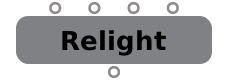 | Relight | Adds light to the plate from its N (normals) and depth layers, all on the GPU. | |
 | DepthToPoints | Turns the depth layer into 3D through the camera (cam input or focal knobs): a displaced, textured card mesh (ScanlineRender can re-render it from new views) or a coloured point cloud. | |
 | SpotLight | SpotLight | |
 | EnvironmentLight | EnvironmentLight | Ambient light; with a map (lat-long image) the surface normal looks it up. |
 | Project3DShader | Project3DShader | |
 | ScanlineRender | ScanlineRender | |
 | CyclesRender | Path-traced render of the same scene with Blender Cycles (headless). | |
 | EEVEERender | The same scene rendered with Blender EEVEE (5.2 engine id 'BLENDER_EEVEE'; the 'BLENDER_EEVEE_NEXT' id of 4.2-4.4 is gone). | |
 | HydraRender | Renders the 3D scene through a USD Hydra render delegate. |
Other
| Node | .nk class | Summary | |
|---|---|---|---|
 | Dot | Dot | Passes the input through unchanged. |
 | NoOp | NoOp | Does nothing; holds user knobs / expressions. |
 | CurveTool | CurveTool | Analyse frames into keyed knobs. |
 | Assert | Assert | Fail with a message when the expression is false. |
 | BlackOutside | BlackOutside | Black outside the bbox instead of repeating its edge. |
 | ModifyMetaData | ModifyMetaData | Pass-through (metadata edits kept for .nk). |
 | CopyMetaData | CopyMetaData | Pass-through of Image (Meta input kept for .nk). |
 | ViewMetaData | ViewMetaData | Pass-through. |
 | AddTimeCode | AddTimeCode | Pass-through that keeps the timecode knobs. |
| Backdrop | BackdropNode | A coloured box behind nodes. | |
 | StickyNote | StickyNote | StickyNote: a yellow note showing its label (HTML allowed) in the Node Graph. |
 | BlinkScript | BlinkScript | Runs a Blink kernel on the GPU. |
| Group | A node holding a sub-graph (Input/Output nodes, nested groups). | ||
 | Precomp | Precomp | A Group whose contents are an external .nk script. |
 | LiveGroup | LiveGroup | A Group that can be published to (and read from) its own .nk script. |
| Input | Inside a Group: the image arriving at group input number. | ||
| Output | Inside a Group: what the group outputs. |
Not in the node menu
| Node | .nk class | Summary | |
|---|---|---|---|
 | CameraTrackerPointCloud | CameraTrackerPointCloud | Solved 3D points as geometry. |
 | Dot | A bend point to tidy pipes. | |
 | Merge | Merge2 | Composites A over B using the A alpha. |
 | Text | Text | Text (legacy) — draw text over the input; size knob, baseline justify. |
 | Unsupported | Unsupported Nuke node — raw knobs kept for export; input 0 passes through. |